Query Account Balance across Multiple Blockchains using Ankr.js
Fetch account balance across multiple blockchains:
- Ethereum
- Polygon
- BNB Smart Chain
- Fantom
- Avalanche
- Arbitrum
- Optimism.
In this tutorial, we’ll be fetching the account balances from multiple blockchains such as Ethereum, Polygon, and Fantom, to name a few, using Advanced APIs↗.
Getting Started
Prerequisite: To successfully finish this guide, you'll need Node.js↗ and Yarn↗ installed on your machine.
Step 1: Setting Up Next.js Starter Application
First up, navigate into the directory of your choice where you want to initiate this project and run the following command in your terminal to set up a new Next.js starter page:
yarn create next-app --ts ankrjs-account-balance
You'll be able to see a couple of files and folders being created for you. Let's dive into the newly created directory and start the development server on localhost:3000.
cd ankrjs-account-balance
yarn dev
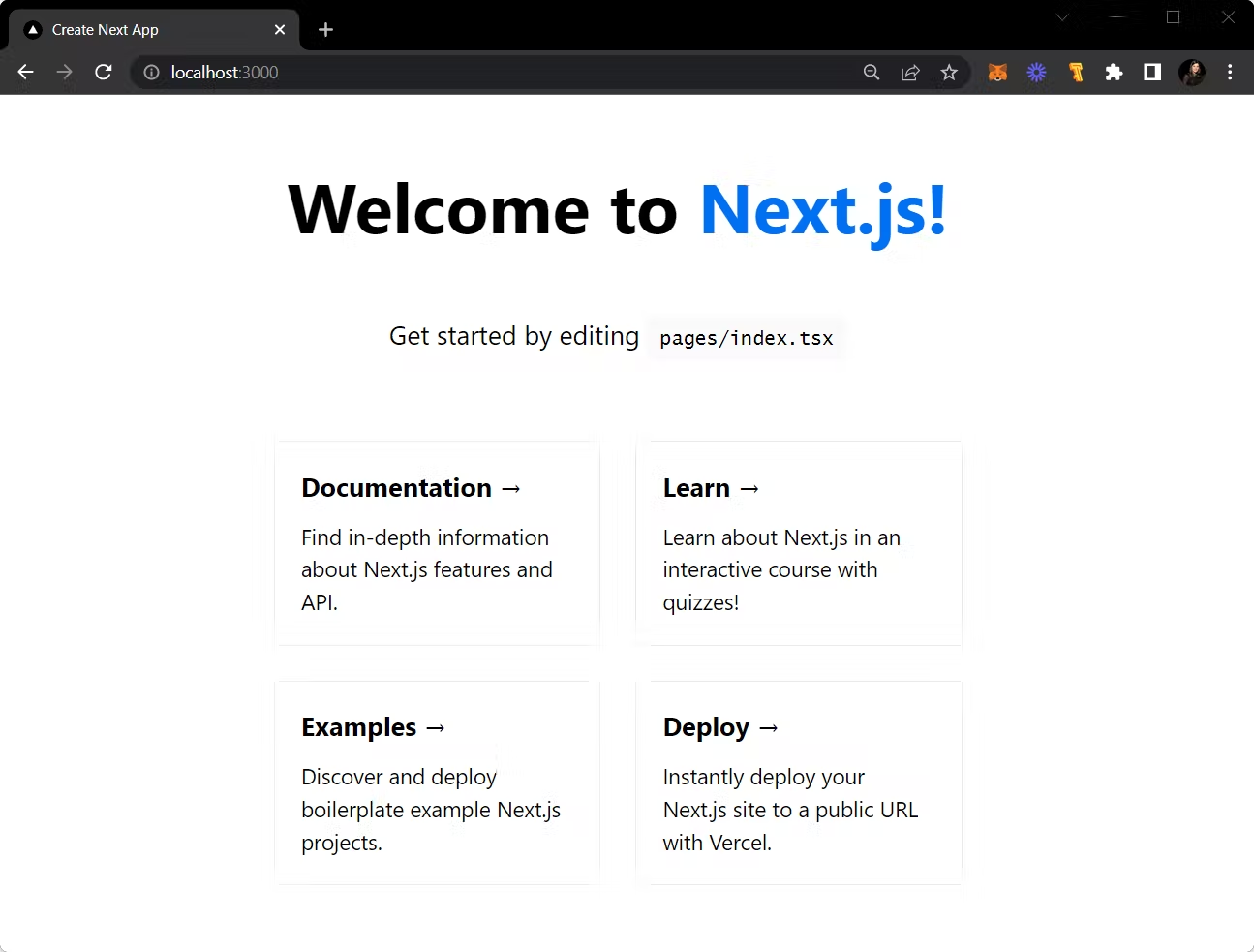
Visit localhost:3000 to view the starter application and it will resemble the screen attached below:
Step 2: Installing and Setting Up Ankr.js
In this section, we will install and set up Ankr.js for querying account balances across multichains.
We will start by installing the ankr.js package from npm:
yarn add @ankr.com/ankr.js
Now that we have installed the Ankr.js library, let's set up Ankr.js by creating a new file named apis.ts at the root of your project directory. We will initialize Ankr.js in this file.
File: ./apis.ts
import AnkrProvider from '@ankr.com/ankr.js';
import type { Blockchain } from '@ankr.com/ankr.js/dist/types';

const provider = new AnkrProvider('');
To interact with Ankr's Advanced APIs, we have created a provider instance that will serve as an interface to the APIs required to fetch data.
Step 3: Creating Function to Fetch Total Balance
In this step, we will first create a getAccountBalance function in the ./apis.ts file, which will accept a walletAddress, and return the coin and the respective token balance. Here we are going to utilize the getAccountBalance↗ method provided by Ankr.js.
File: ./apis.ts
import AnkrProvider from '@ankr.com/ankr.js';
import type { Blockchain } from '@ankr.com/ankr.js/dist/types';

const provider = new AnkrProvider('');

//defining the list of supported blockchains
const listOfChains: Blockchain[] = ['eth', 'arbitrum', 'avalanche',
'bsc', 'fantom', 'polygon', ];

//key-value pair mapping of chains to their native symbols
export const chainsToNativeSymbols: { [key in Blockchain]: string } = {
  eth: 'ETH',
  arbitrum: 'ETH',
  avalanche: 'AVAX',
  bsc: 'BNB',
  fantom: 'FTM',
  polygon: 'POL',
};

//getAccountBalance function to fetch coins and their respective token balances
export const getAccountBalance = async (walletAddress: string) => {
  return provider.getAccountBalance({
    walletAddress,
  });
};
Let's call this function on our page i.e. ./pages/index.tsx to check the account balances. To do so, clear the code from the index.tsx file and replace it with the one given below:
File: ./pages/index.tsx
import { useEffect } from 'react';

import {
  getAccountBalance,
} from '../apis';

function App() {

  useEffect(() => {
    (async () => {
      const  total  = await getAccountBalance(
        "0xd8da6bf26964af9d7eed9e03e53415d37aa96045",
      );
      console.log({ total });
    })();
  }, []);

  return (
    <div className='p-10 flex flex-col items-center'>
      <h1 className='text-3xl font-bold'>Account Balance</h1>
    </div>
  );
}

export default App;
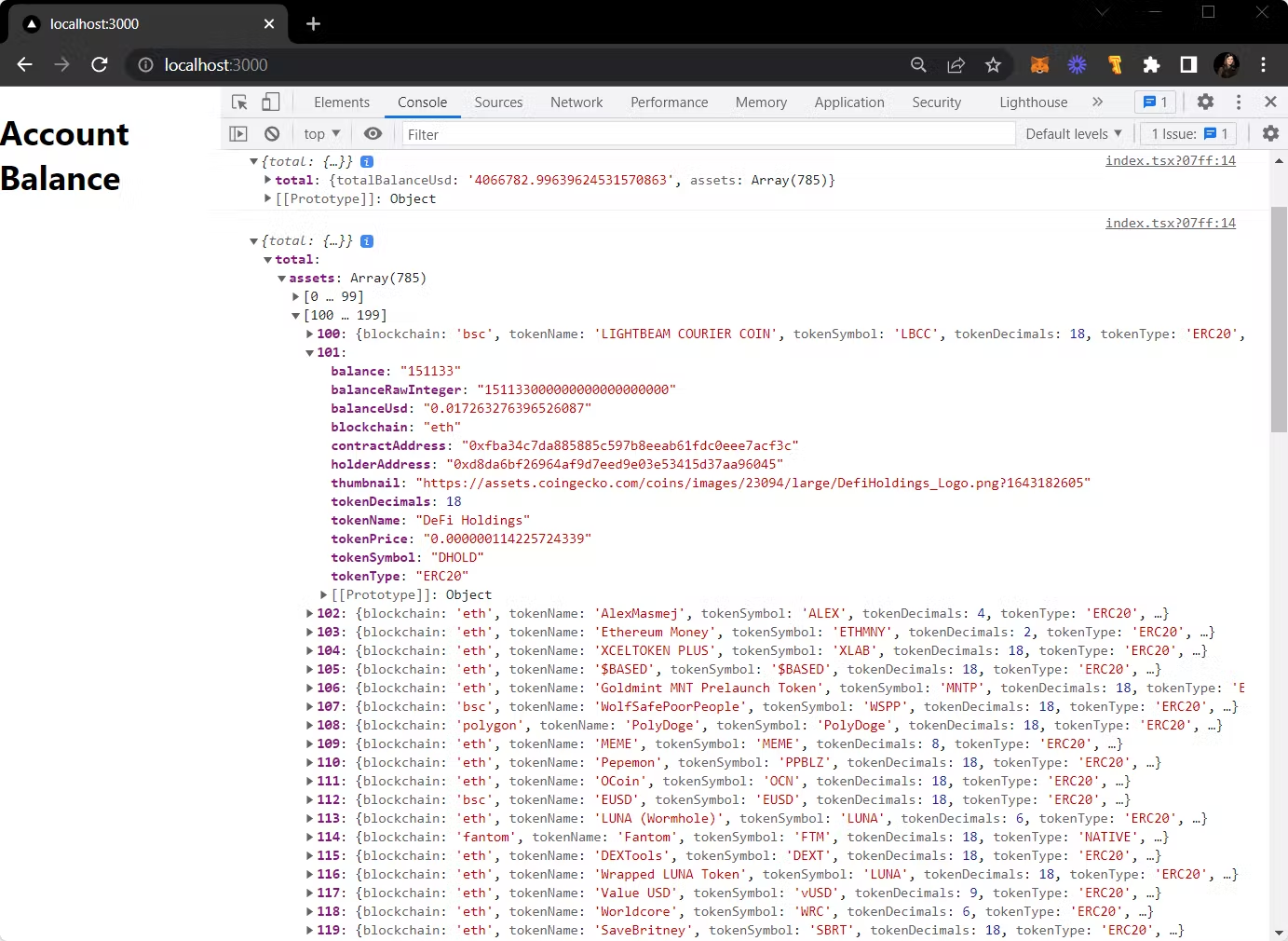
Now, let's see the Account Balances of an inputted wallet address in the developer console of a browser.
- Head over to your localhost and use
Option + ⌘ + J(on macOS), orShift + CTRL + J(on Windows/Linux).
You should be able to see the list of chains with their respective tokens and account balances.
[Optional]: Calculating the Net Worth
To calculate the sum of balances (net worth) across the chains we will create a new function in the apis.ts file and let's call it getTotalMultichainBalance.
File: ./apis.ts
import AnkrProvider from '@ankr.com/ankr.js';
import type { Blockchain } from '@ankr.com/ankr.js/dist/types';

const provider = new AnkrProvider('');

//defining the list of supported blockchains
const listOfChains: Blockchain[] = ['eth', 'arbitrum', 'avalanche',
'bsc', 'fantom', 'polygon', ];

//key-value pair mapping of chains to their native symbols
export const chainsToNativeSymbols: { [key in Blockchain]: string } = {
  eth: 'ETH',
  arbitrum: 'ETH',
  avalanche: 'AVAX',
  bsc: 'BNB',
  fantom: 'FTM',
  polygon: 'POL',
};

//getAccountBalance function to fetch coins and their respective token balances
export const getAccountBalance = async (
  walletAddress: string,
  blockchain: Blockchain
) => {
  return provider.getAccountBalance({
    walletAddress,
    blockchain,
  });
};

//use getAccountBalance to sum total balance across chains
export const getTotalMultichainBalance = async (walletAddress: string) => {
  let total = 0;
  for await (const chain of listOfChains) {
    const { totalBalanceUsd, assets } = await getAccountBalance(
      walletAddress,
      chain
    );
    total += +totalBalanceUsd;
  }
  return total;
};
Let's call this function on our page to check the total account balance.
File: ./pages/index.tsx
import { useEffect } from 'react';

import {
  getTotalMultichainBalance,
} from '../apis';

function App() {

  useEffect(() => {
    (async () => {
      const  total  = await getTotalMultichainBalance(
        "0xd8da6bf26964af9d7eed9e03e53415d37aa96045"
      );
      console.log({ total });
    })();
  }, []);

  return (
    <div className='p-10 flex flex-col items-center'>
      <h1 className='text-3xl font-bold'>Net Worth</h1>
    </div>
  );
}

export default App;
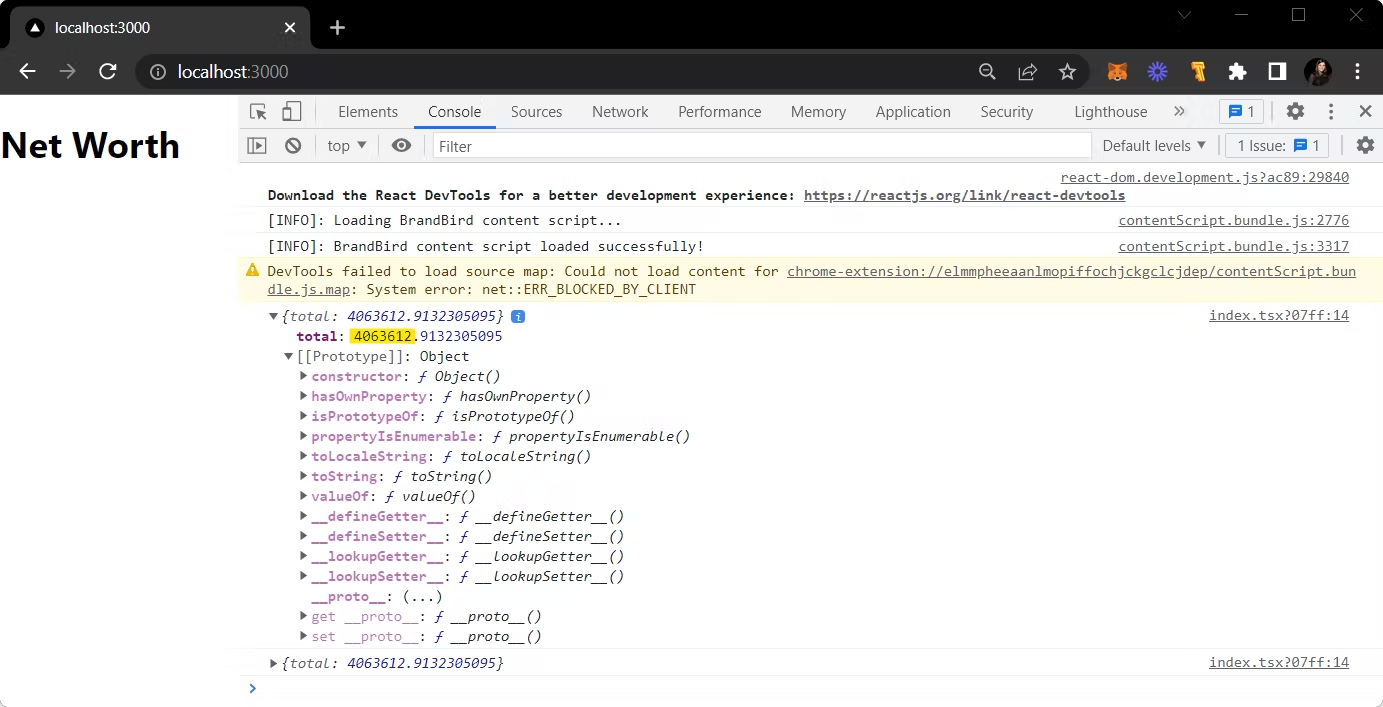
Let's see the net worth of an inputted wallet address in the developer console of a browser.
Head over to your localhost and use Option + ⌘ + J (on macOS), or Shift + CTRL + J (on Windows/Linux).
You should be able to see the net worth.